
Operational automation
Turn measurements into understandable process state, then connect abnormal conditions to notifications, tasks, commands, and a traceable response workflow.
Watch · 2:09 min
Kanban boards for the team's work, with parent tasks whose steps open as a table or a board. Behind them, a process model turns telemetry into live machine and line state, and replays recorded data to investigate an incident or try a new configuration. Alarms open tasks with an owner, and the tasks land back on the board.
01Process state
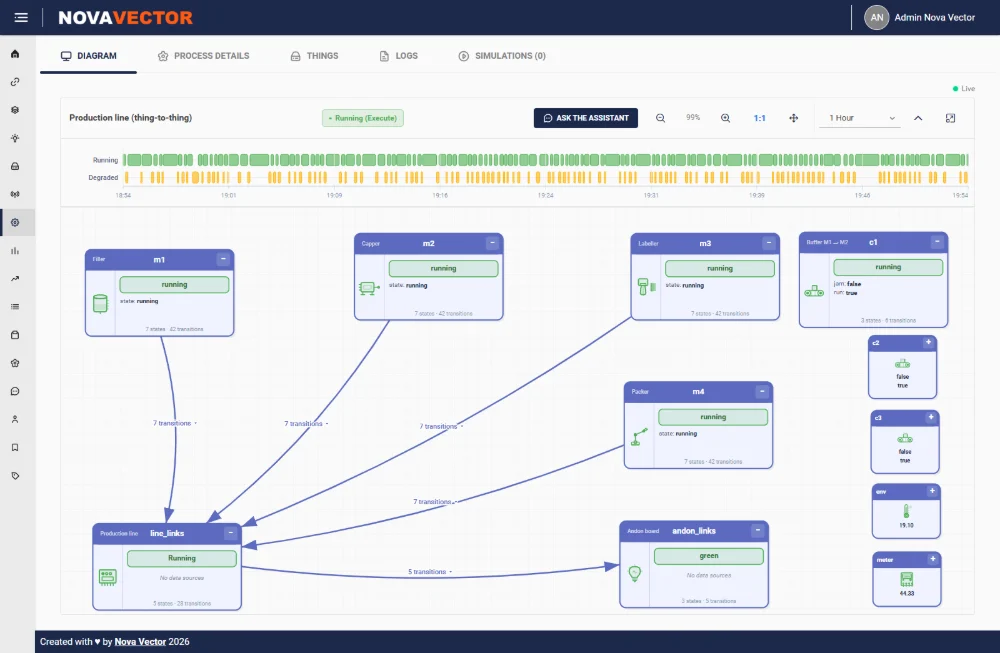
A temperature, counter, pressure value, or machine bit often matters only because of the operating state around it. Nova Vector process models combine selected data sources with explicit states and guarded transitions, so the platform can tell whether equipment is running, idle, starved, blocked, stopped, or in another customer-defined condition.
Rules link machines to each other. Each machine's state drives the state of the line, and the line's state drives an andon board, so the reason behind a degraded line is visible on one diagram.
02Versioned logic
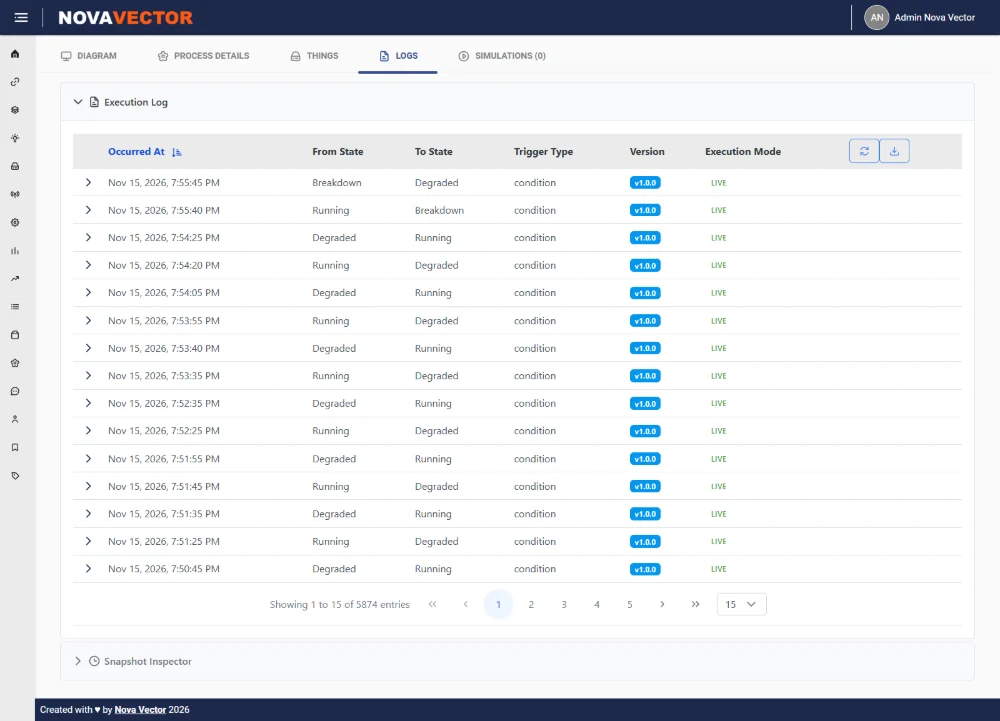
Published process versions are immutable, so historical execution is interpreted against the exact logic that was active at the time instead of today's edited configuration.
Every state change is logged with its trigger, the values behind it, and the rule version that applied. The execution log exports to CSV for your own analysis.
03Alerts
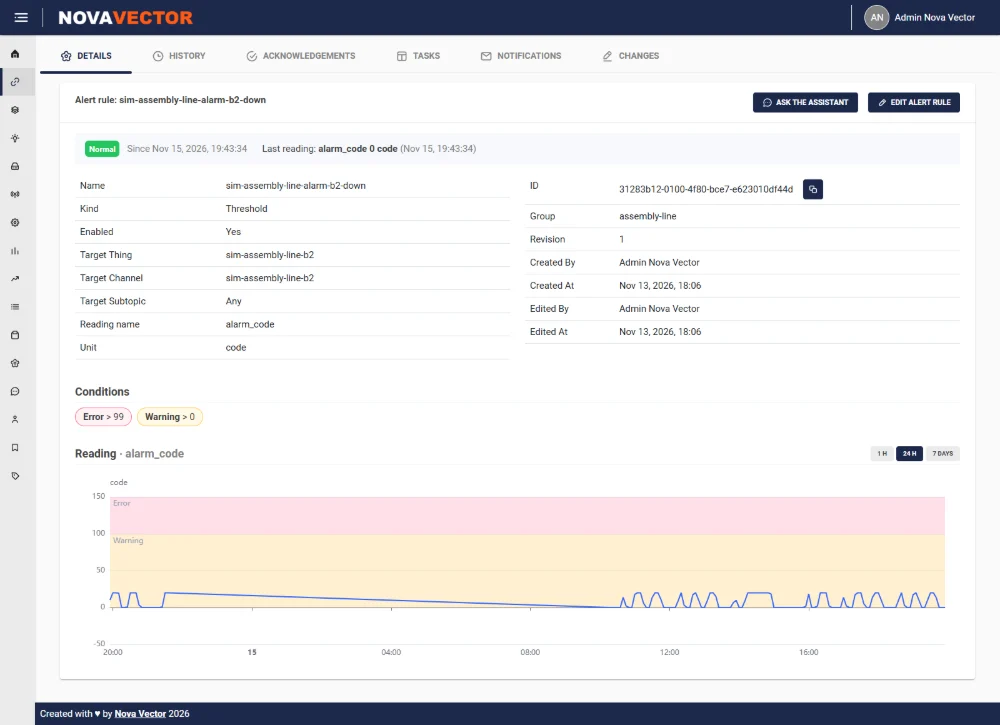
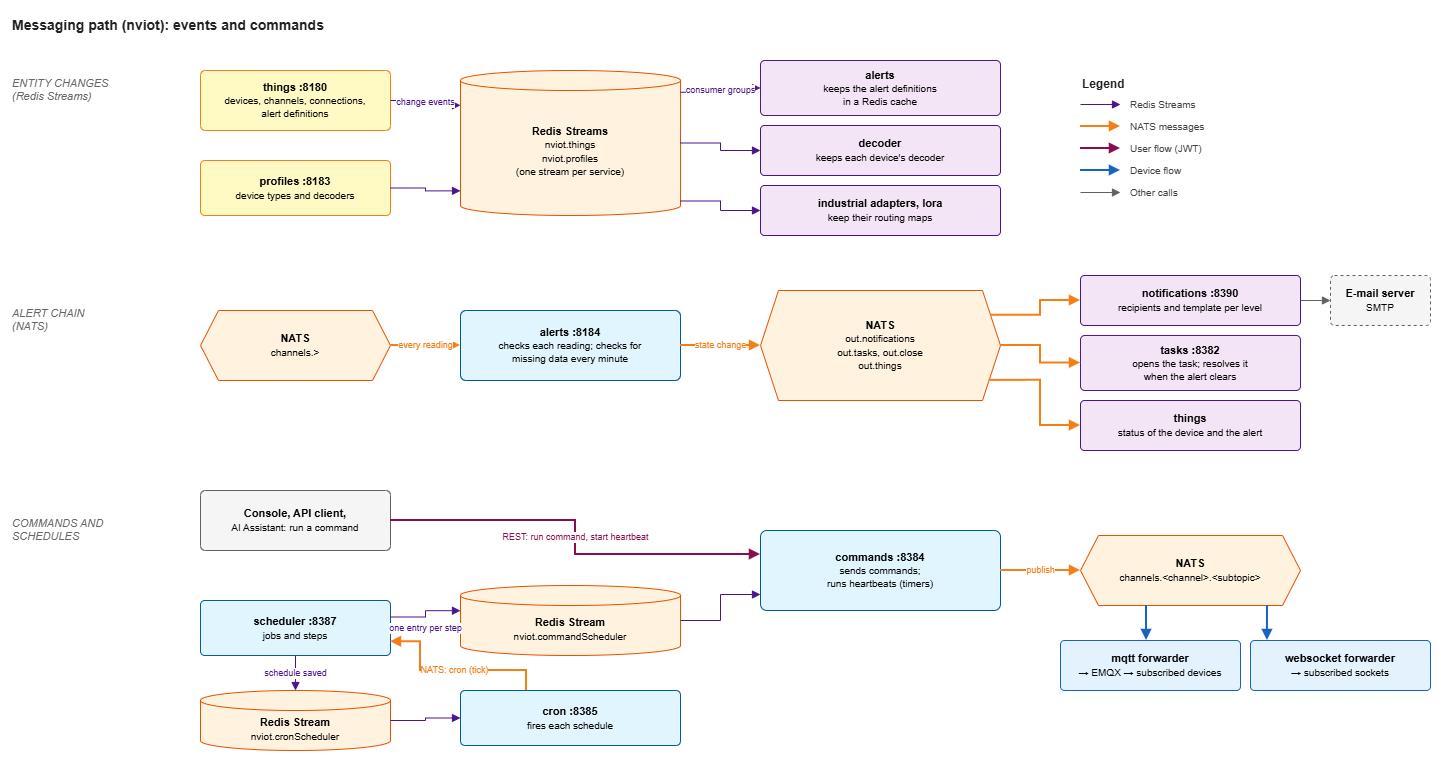
Alert rules check a number against limits, a text value against conditions, a device that stops sending, or a reading against what the platform has learned is normal for it. When the condition changes state, Nova Vector updates the affected device context and routes the result into notification and task workflows. Notifications are sent by e-mail to the configured recipients.
Alert rules are defined in the platform rather than hard-coded into a dashboard. This keeps the detection rule connected to the equipment that owns it and gives teams one place to inspect current and historical alert state. Operators acknowledge an alarm with a reason, such as maintenance, real fault, or false alarm, so every alarm can be classified afterwards.
04Anomaly detection
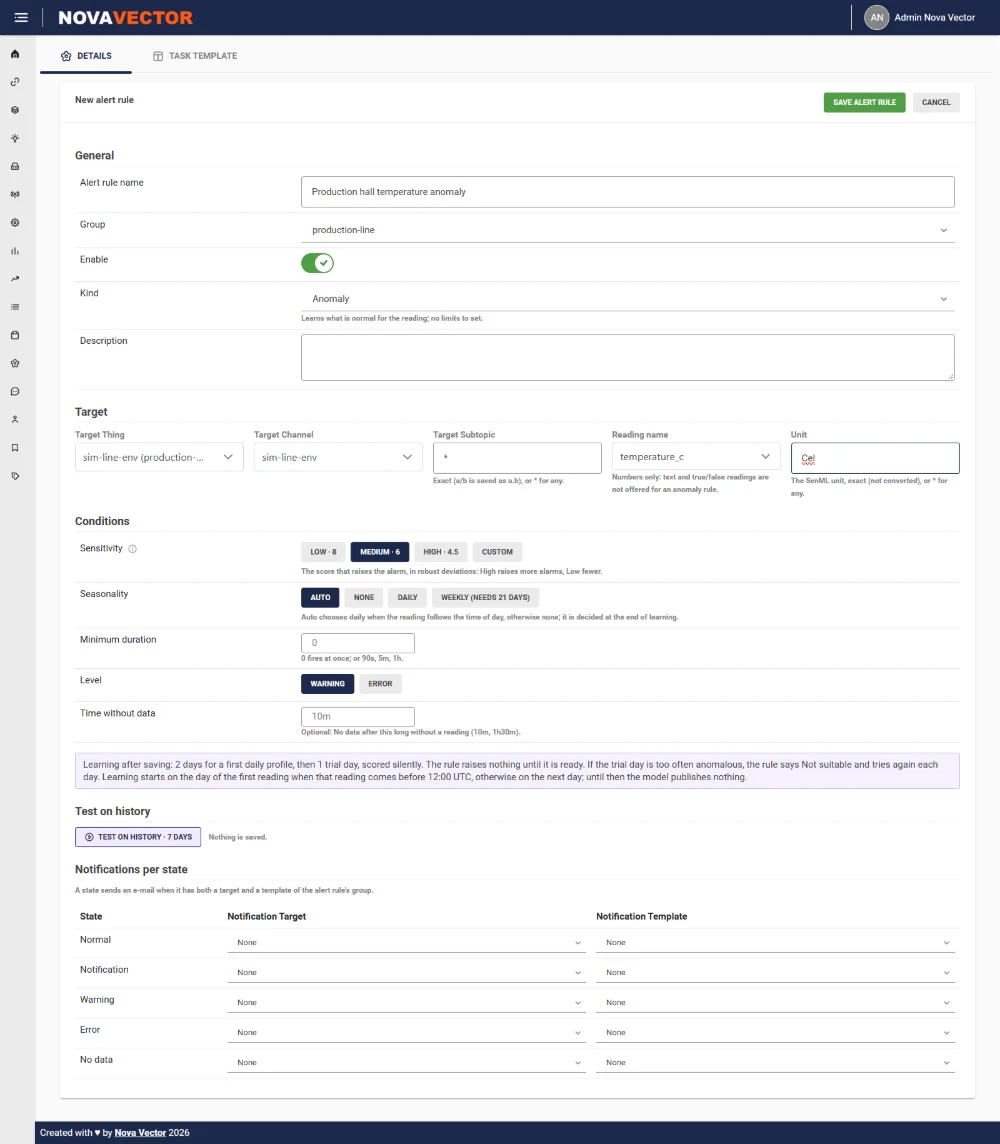
An anomaly rule needs no limits. It learns what is normal for one reading of one device, its level, its daily rhythm, and its noise, and raises an alarm when the reading leaves that. It catches a value that drifts, gets stuck, or turns noisy while staying inside every sensible limit. Choose a sensitivity of High, Medium, or Low, and the rule learns for about three days before it raises anything.
Before a rule is saved, Test on history runs it over the last seven days and shows where it would have fired at each sensitivity. A lasting change of operation becomes the new normal by itself; an alarm acknowledged as a real fault stays until the reading is back. Each group can set a daily budget of anomaly alarms, and the alert page shows when the budget is exceeded and which rules raise the most.
05From alarm to work
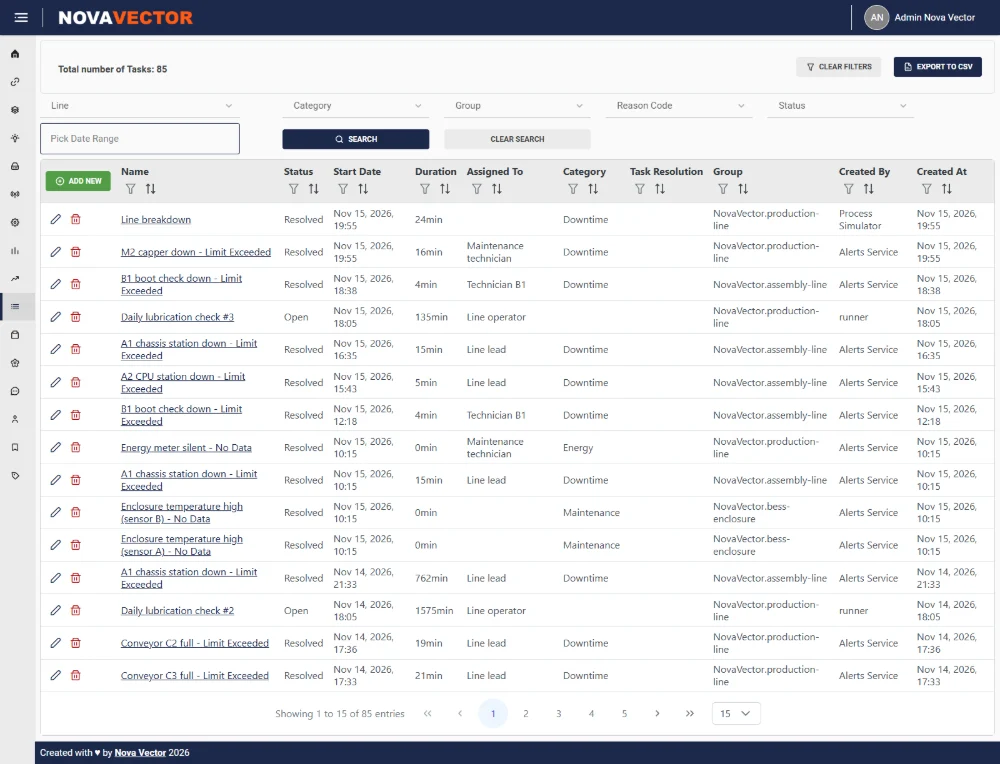
An alert can create a task from a configured template. The task keeps its category, assignee, status, history, and the source context that caused it, so maintenance or support teams do not have to reconstruct the original event from another system.
Where configured, clearing the source alert resolves the related task automatically. A technician can scan an RFID badge at the machine to record arrival, so response and repair times are measured rather than estimated; the flow can be customized to match your maintenance process.
06Task workflows
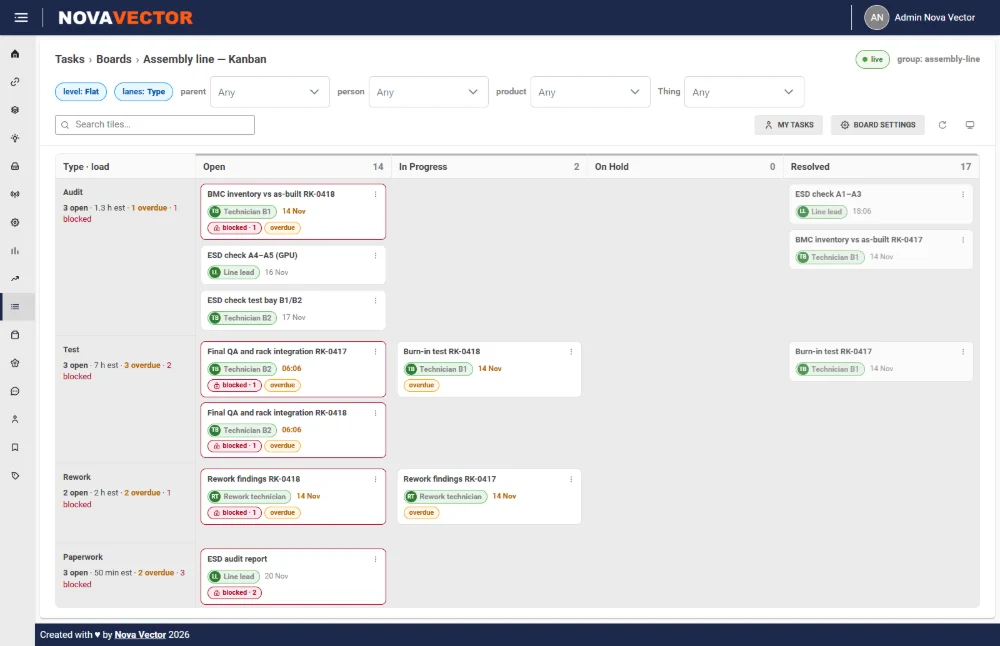
Inspections, changeovers, quality checks, and preventive maintenance run from templates with sub-tasks and recurring schedules. Kanban boards group work by status, category, or person, and kiosk boards put the same view on shop-floor screens.
Rules and blockers keep critical steps in order. A batch cannot be released while a check is still open, and selected status changes ask for a password signature and a reason.
07Traceable response
Notifications inform configured recipients, tasks represent owned work, and commands represent requests to act on a device. Keeping these separate makes it clear whether a condition was detected, whether somebody was assigned to it, and whether an automated action was requested.
Commands are executed asynchronously through the platform's command path. Persisting the software request does not imply that a remote controller or physical process acted atomically, which is an important distinction in industrial systems.
Continue evaluating
Discuss your architecture