
Digital twin and testing
Test the improvement before you change the line, and prove the integration before the hardware arrives.
Watch · 4:14 min
Nova Vector Simulators run a production line that behaves like the real one, down to the protocol. Adapters, alarms, OEE reports, and maintenance workflows are set up and checked against it before the line goes live, including breakdowns you cannot order on demand.
01Process replay
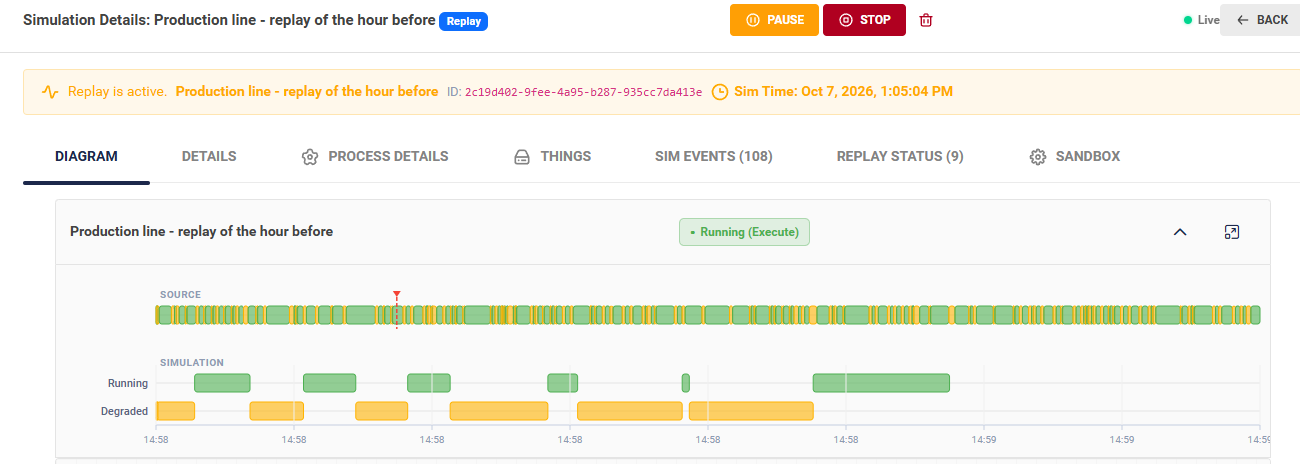
The process model is a live digital twin of your line, with every machine, its state, and the rules that link them. A replay runs recorded production through a copy of that model, faster than real time, so teams can investigate an incident or see how changed rules would have treated the same hour, day, or week.
A replay can run against the current version, an older one, or a draft, over a window of up to 90 days. Replayed data is stored separately and labeled with its simulation, so live records are never mixed with test results.
02Preflight
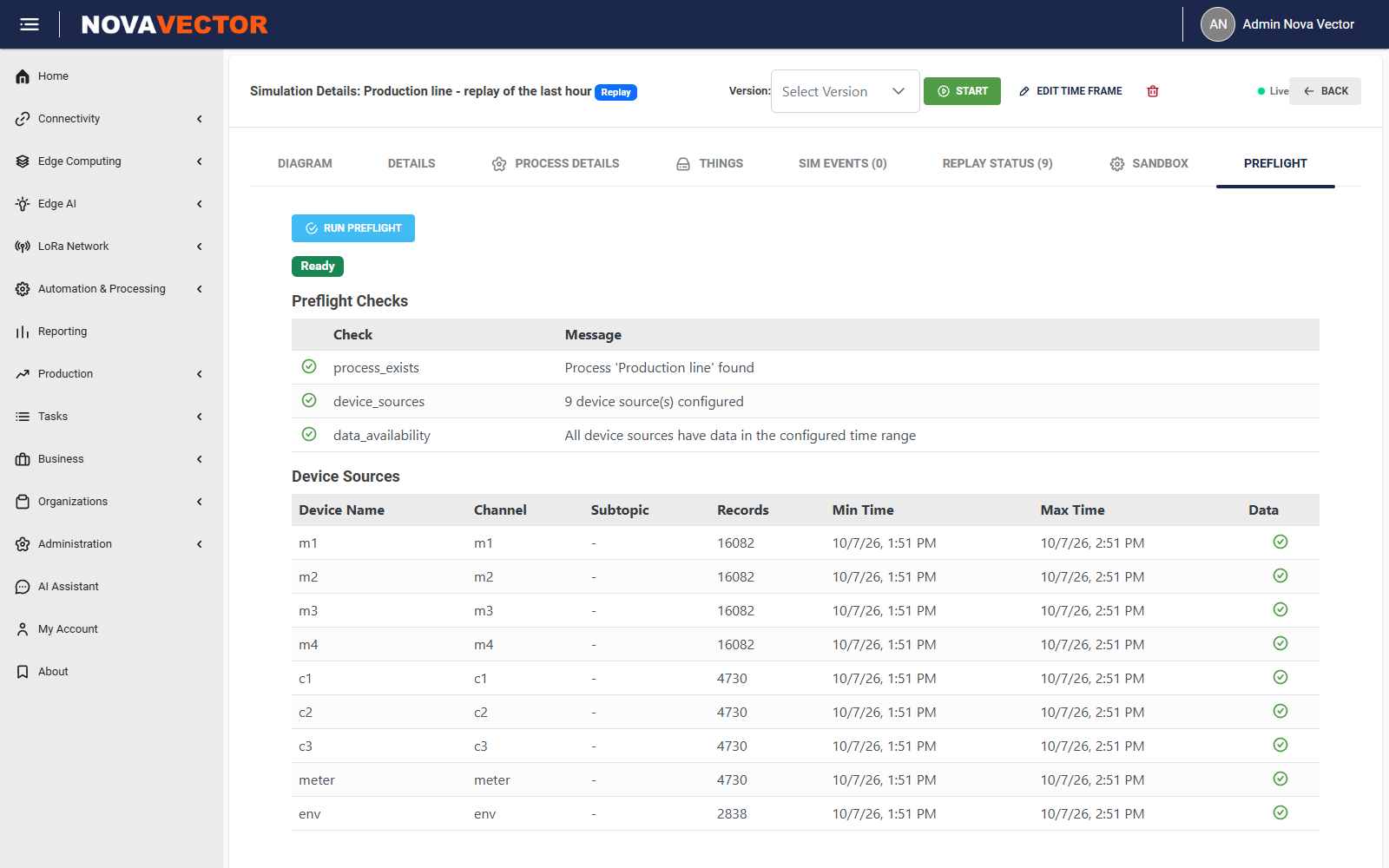
Before a replay starts, a preflight check confirms that every data source in the model has recorded data for the chosen window, with the number of records and the time range per device.
During the run, the simulator records each state change and the values that caused it, so the result can be explained rather than only observed.
03Compare
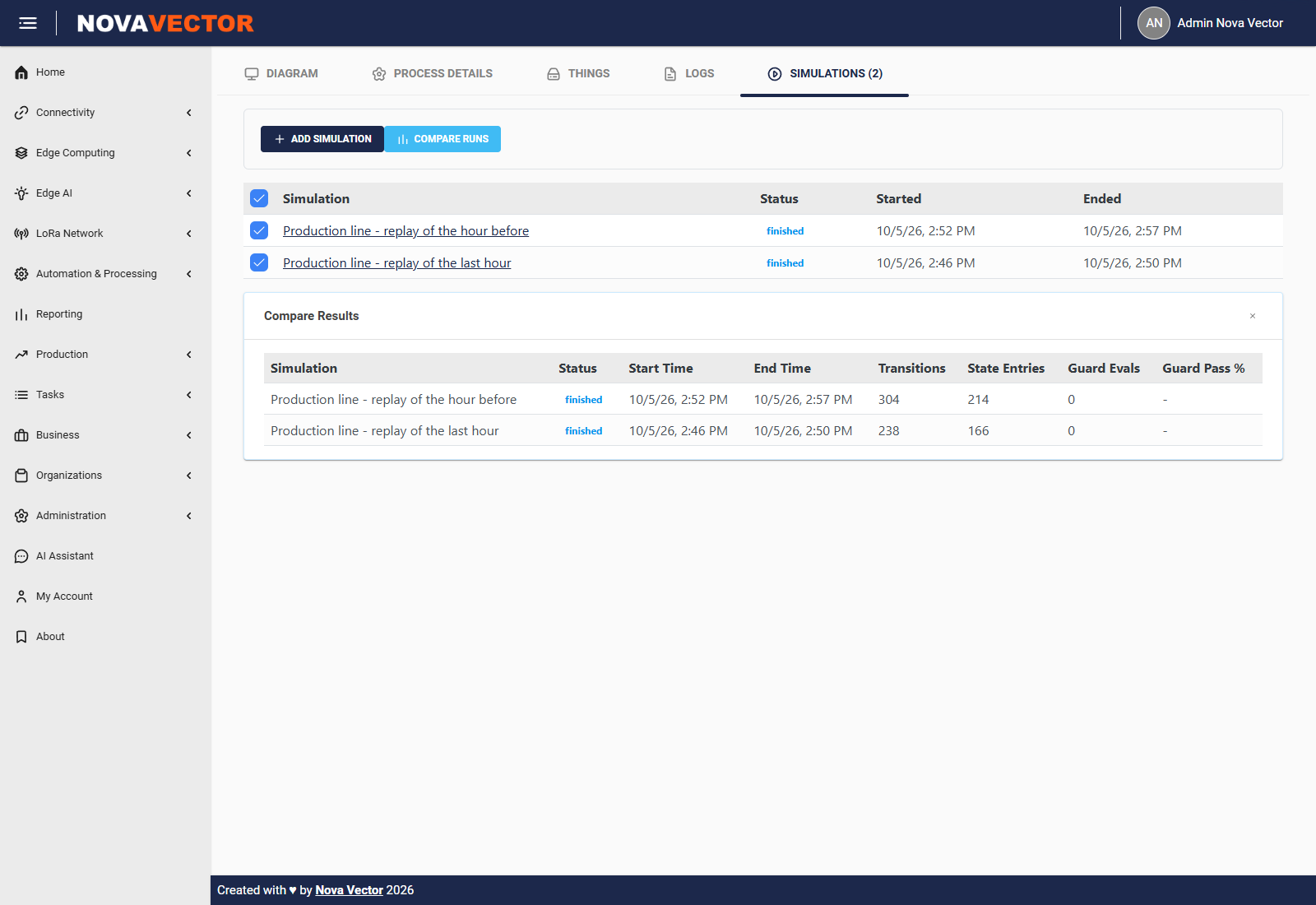
Two or more replays of a process can be compared, and two published versions of a process can be compared side by side. Teams see which version keeps the line running longer before anyone touches the live configuration.
The model links machines by state rules. Buffer levels, cycle times, and throughput are not modeled, and OEE is reported by the reports module from the same machine data rather than by the replay itself.
04Nova Vector Simulators
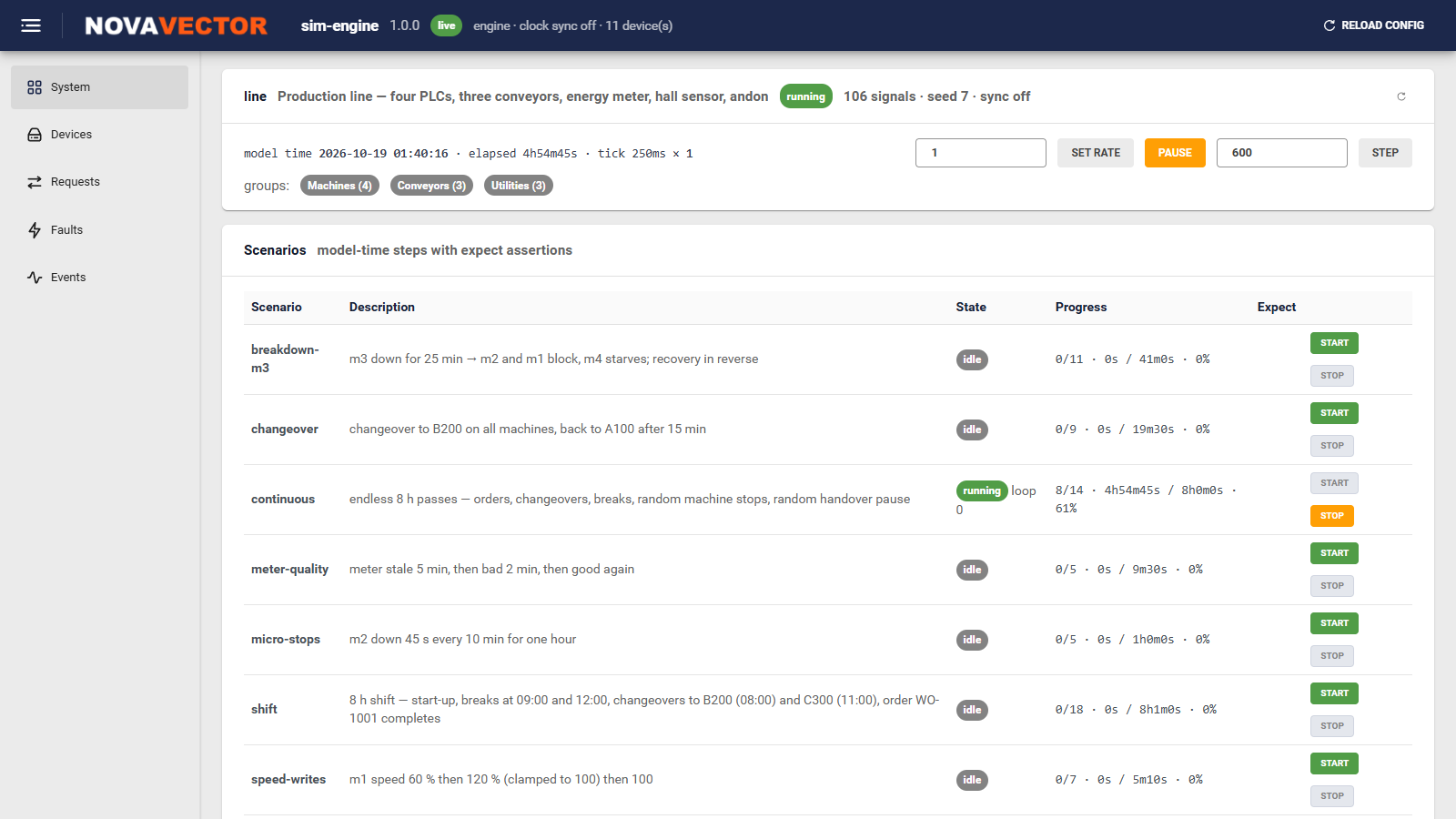
Nova Vector Simulators put whole systems on the network as real equipment would, such as a production line with PLCs, conveyors, an energy meter, and an andon board. They speak Modbus TCP, BACnet/IP, SNMP, and MQTT, so the platform reads them exactly as it reads real devices, and adapters, alarms, dashboards, and OEE reports can be set up and checked before go-live.
Scenarios run production around the clock, inject breakdowns and faults that are hard to create on real equipment, and check the expected outcome. The simulators also work with any other SCADA, BMS, or IoT platform.
Continue evaluating
Discuss your architecture