
Nova Vector Simulators
Whole plants that behave like the real ones, down to the protocol. Configure, demonstrate, and accept the system that watches your equipment before that equipment is in the lab.
Watch · 4:16 min
One Modbus energy meter from a plain device file, read by a standard client while values are held and faults injected, then the simulator engine running a battery storage enclosure on four protocols through a hot-day HVAC failure that overheats the battery and derates the inverter, a production-line breakdown, faults across the system, and an impaired network.
01One device
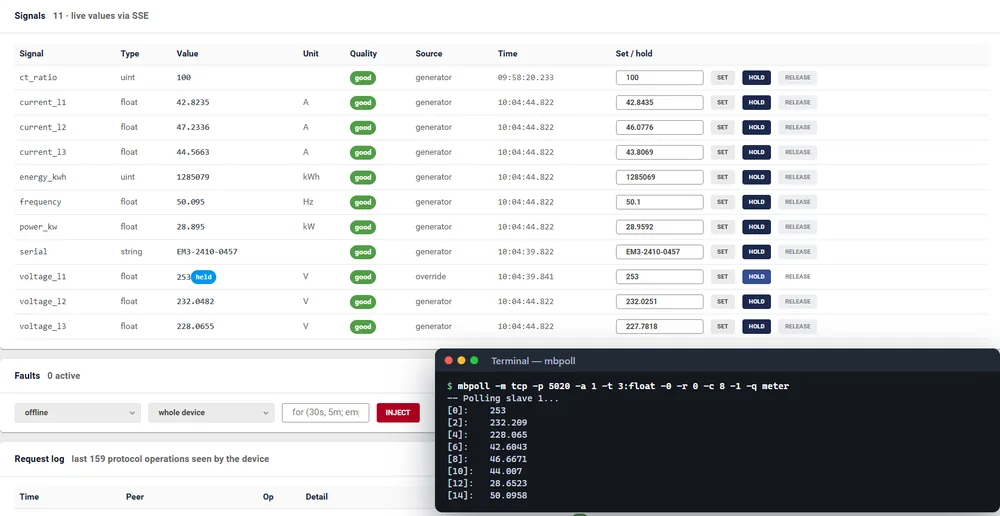
A simulator starts from a plain device file written from the vendor's manual, with the unit ID, the register addresses, and the encoding and scale of every value. One command starts it, and any Modbus client can read it, from a command-line tool to a SCADA driver.
The console shows the register map as the client sees it, down to the raw words on the wire, and a request log of every read with its address range and answer, the quickest way to check that a driver reads the right unit and addresses. Any value can be set once, or held until it is released, and the client reads exactly that value.
02Systems, not separate devices
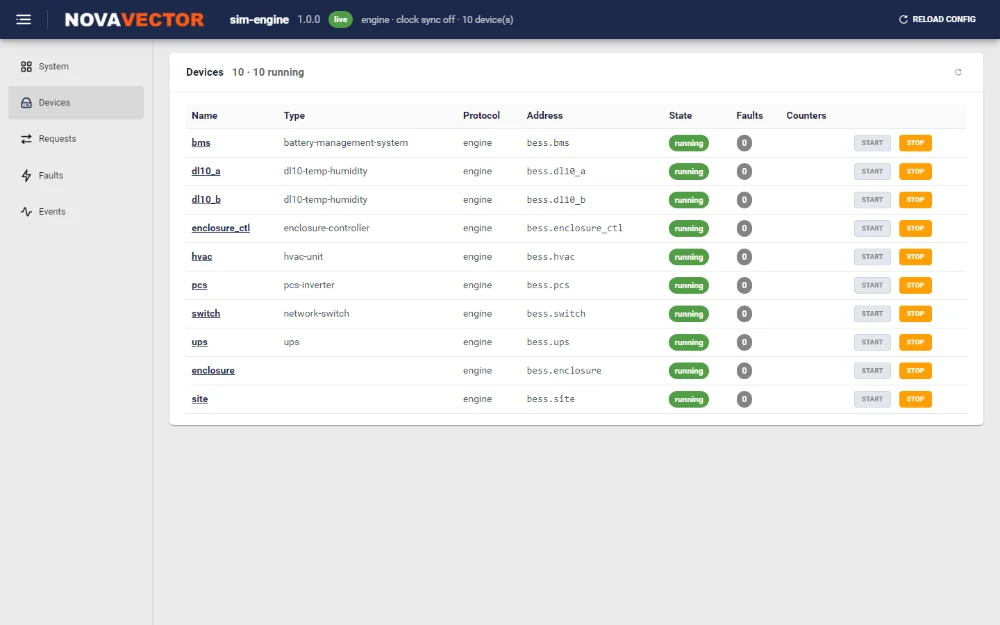
Each simulator system couples its devices through one model, so they behave causally. When the HVAC unit of a battery enclosure fails, the enclosure heats up, the BMS reports over-temperature, and the inverter derates. When one machine on a production line breaks down, the machines after it starve and the ones before it block.
Random values on independent devices cannot tell that story. Cross-device alarms, data-quality handling, and work-order features need devices that react to each other the way real equipment does.
03Real protocols
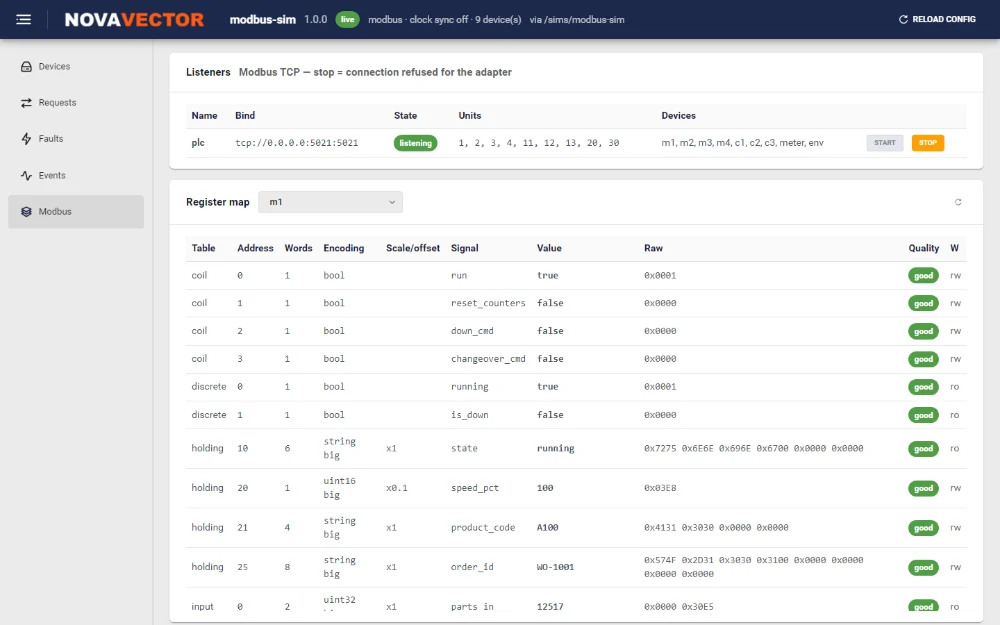
The simulators speak the protocols your system already reads. Any client that speaks them can connect, whether a SCADA, a building management system, a historian, an MQTT broker, or an IoT platform. None of them needs Nova Vector.
Device maps are plain configuration files. A device file mirrors the vendor's manual, including its peculiarities, so the gateways with many unit IDs, the unusual register encodings, and the protocol corners where clients fail in the field can be tested before go-live.
04Repeatable scenarios
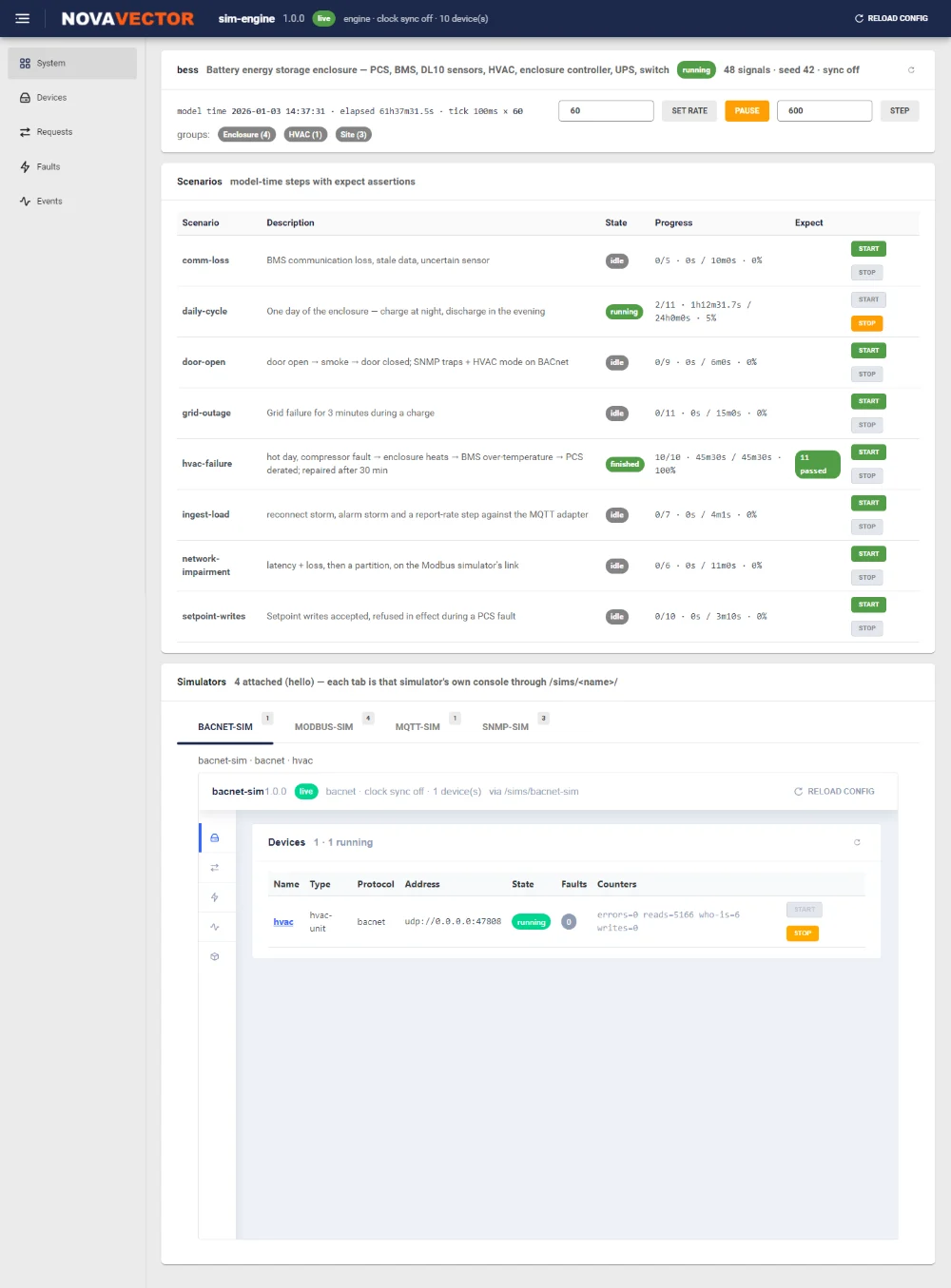
A scenario changes signals, injects faults, and checks the expected outcome step by step, with a pass or fail result. The HVAC failure scenario on the battery enclosure, for example, checks fifteen outcomes across BACnet, Modbus, and SNMP, and it runs the same way in the lab, in a customer meeting, and in continuous integration.
Every reference system runs an endless scenario on the wall clock, with shifts, breaks, product changes, charge and discharge cycles, and random stops, so dashboards and reports always have data. For a short demonstration or a test run, the model clock runs from 0.1 to 600 times real time, and can be paused and stepped.
05Faults and data quality
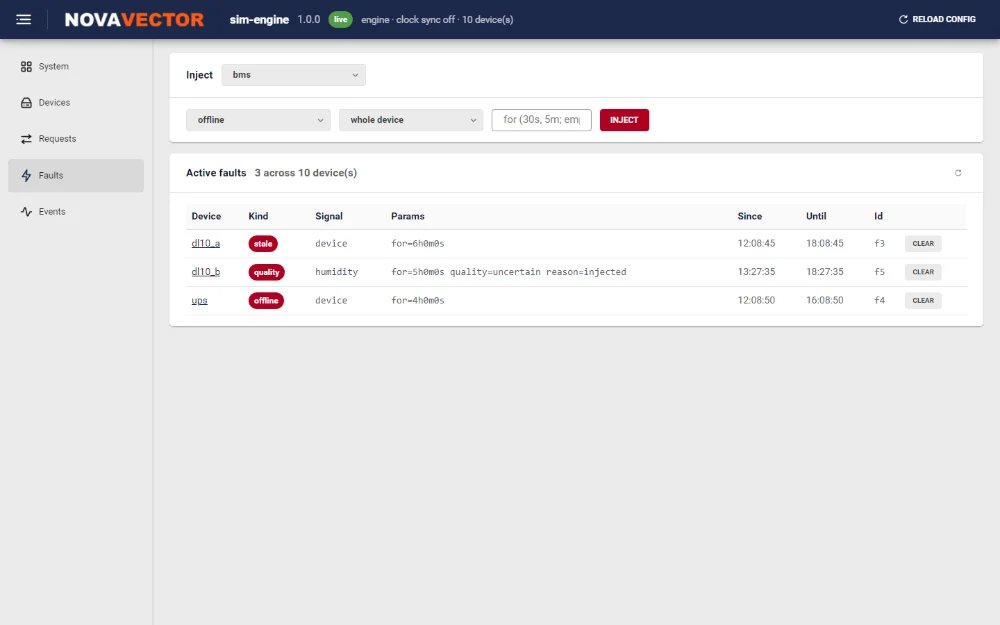
Any device or signal can be taken offline, slowed down, made to drop requests or answer with an error code, frozen, made noisy or drifting, or given uncertain or bad quality, by hand from the console or from a scenario. Each fault ends on its own after the time you set.
The client sees what it would see in the field. A Modbus client's reads time out when the device answers too late, a gateway answers with exception 0x0B when its device is offline, and a value of bad quality fails every read that includes it with a device failure. An offline SNMP device stops sending traps, and an offline MQTT node disconnects.
Network impairment adds latency, jitter, packet loss, or a complete partition between the simulators and your system. The client's connections time out while the link is impaired and its reads succeed again when the link is back, so you see how alarms, trends, and data-quality handling behave when the connection is poor, and how they recover.
06Your own models
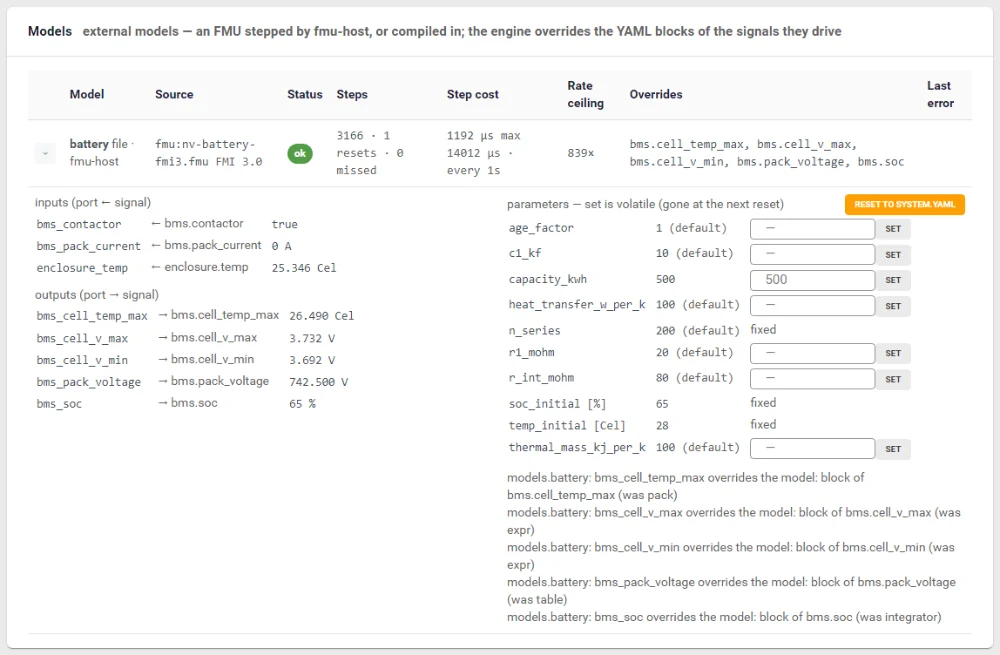
A battery, process, or equipment model built in Simulink, Modelica, or another modelling tool can drive the simulated devices. Exported as an FMU, in FMI 2.0 or 3.0 co-simulation, it replaces that part of the physics, and its results appear in the registers, objects, and telemetry your system reads.
The modeller exports the model once. To add it to a system, a technician copies two files and edits one entry. Model parameters can be changed from the console or from a scenario, for example to show how an aged battery pack runs hotter. A modelling tool licence is needed to export the model, not to run it.
07Scale
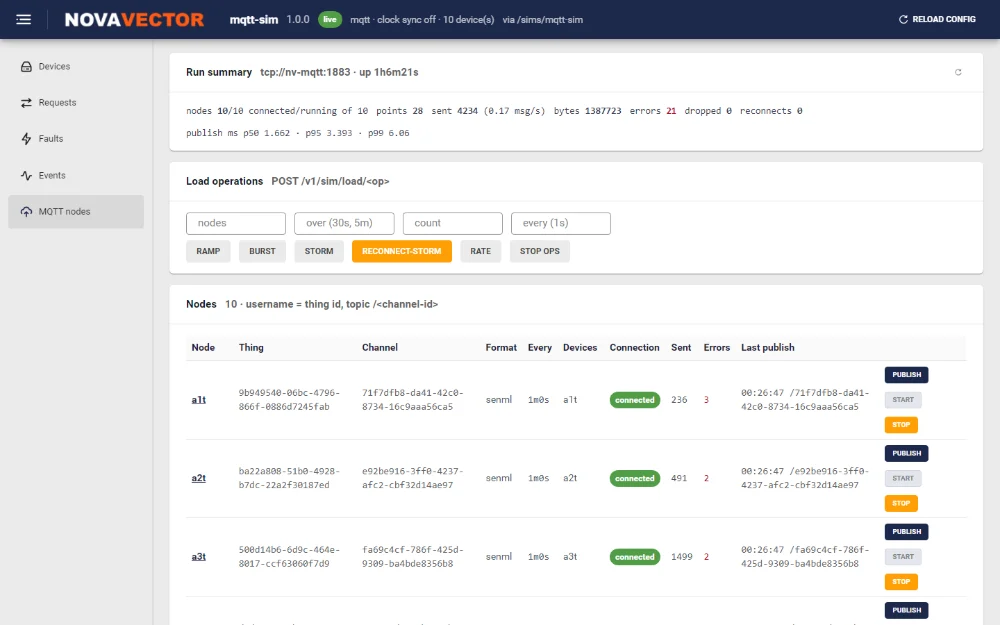
MQTT fleets simulate hundreds or thousands of edge nodes, each with its own login and topic. Load operations ramp the fleet up, send bursts, set off alarm storms or reconnect storms, and step the report rate, while the console measures publish latency, errors, and dropped messages.
08Reference systems
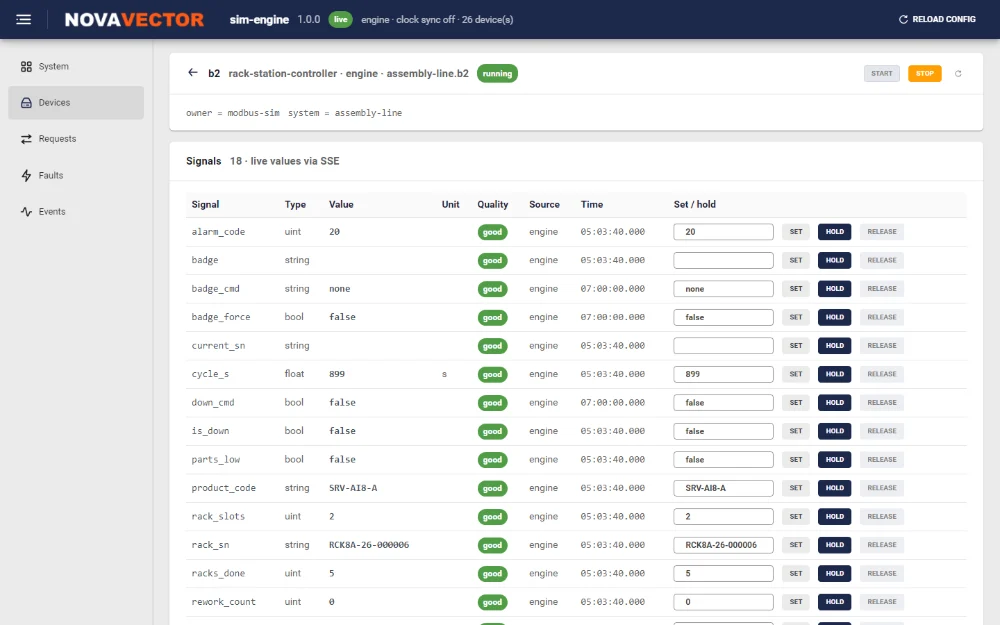
Four reference systems come ready to run, with 57 simulated devices and 33 scenarios between them. A battery energy storage enclosure on four protocols, the same enclosure driven by an external battery model, a production line with PLCs, conveyors, an energy meter, and an andon board, and an AI-server assembly line that builds serialized servers into racks and tests them under a site power limit.
The lines produce the data that manufacturing features need, such as counters, per-minute counts, product codes, order numbers, serial numbers, operator badges, and rack dispatches. A ground-truth export lets you check what your system recorded against what actually happened.
09Deployment
Each system starts with one command, on a laptop beside the system under test, on a separate virtual machine with a real network in between, or on an edge node. The simulators are containers published as versioned images, so no source code or build tools are needed on site.
The simulators come with every Nova Vector platform licence, and are also licensed on their own for testing another SCADA, BMS, historian, broker, or IoT platform. A usual first project adapts a reference system to the customer's device mix, scenarios, and models.
10With Nova Vector
With a Nova Vector platform, one command creates everything the plant needs through the platform's public APIs, such as devices and their connections, alarm rules, task boards, processes, dashboards, OEE reports, products, recipes, operators with badges, work orders, and a month of shift plans. Another command removes it all.
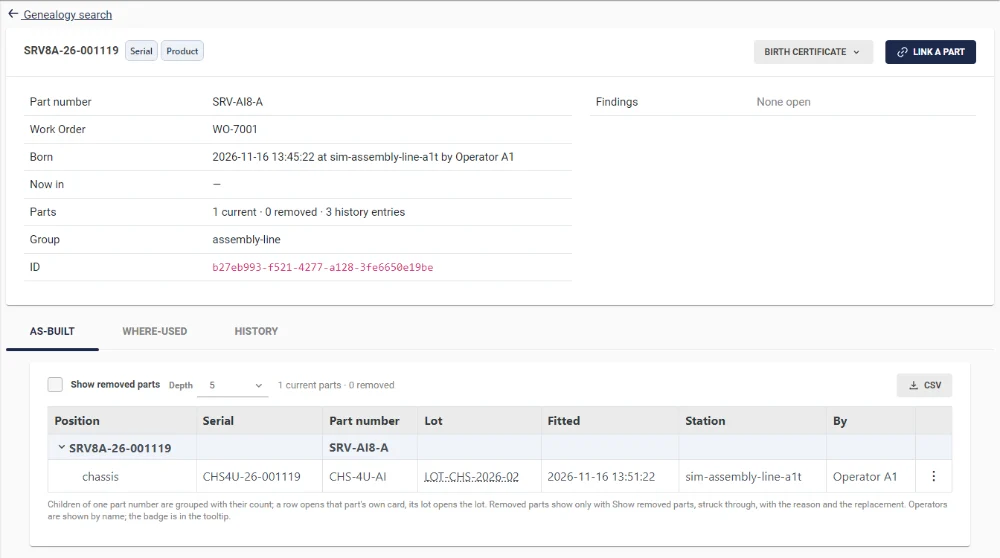
The platform's edge fleet management can roll a simulated system out to an edge node, check its health, and roll it back. On the assembly line, the platform counts production, consumes materials, and builds the genealogy of every server from the line's trace events.
Continue evaluating
Discuss your architecture