
Industrial solution
Connect machine data with the production records that explain what should be happening, what is actually happening, and where time or material is being lost.
Watch · 2:42 min
Output against plan per product and shift, counted from the line, work orders that fill and close themselves, where the shortfall went and which machine limits output, material use against the recipe with its variance, stops that become tasks for the right team, and plans built from what the line can make.
01Products and KPIs
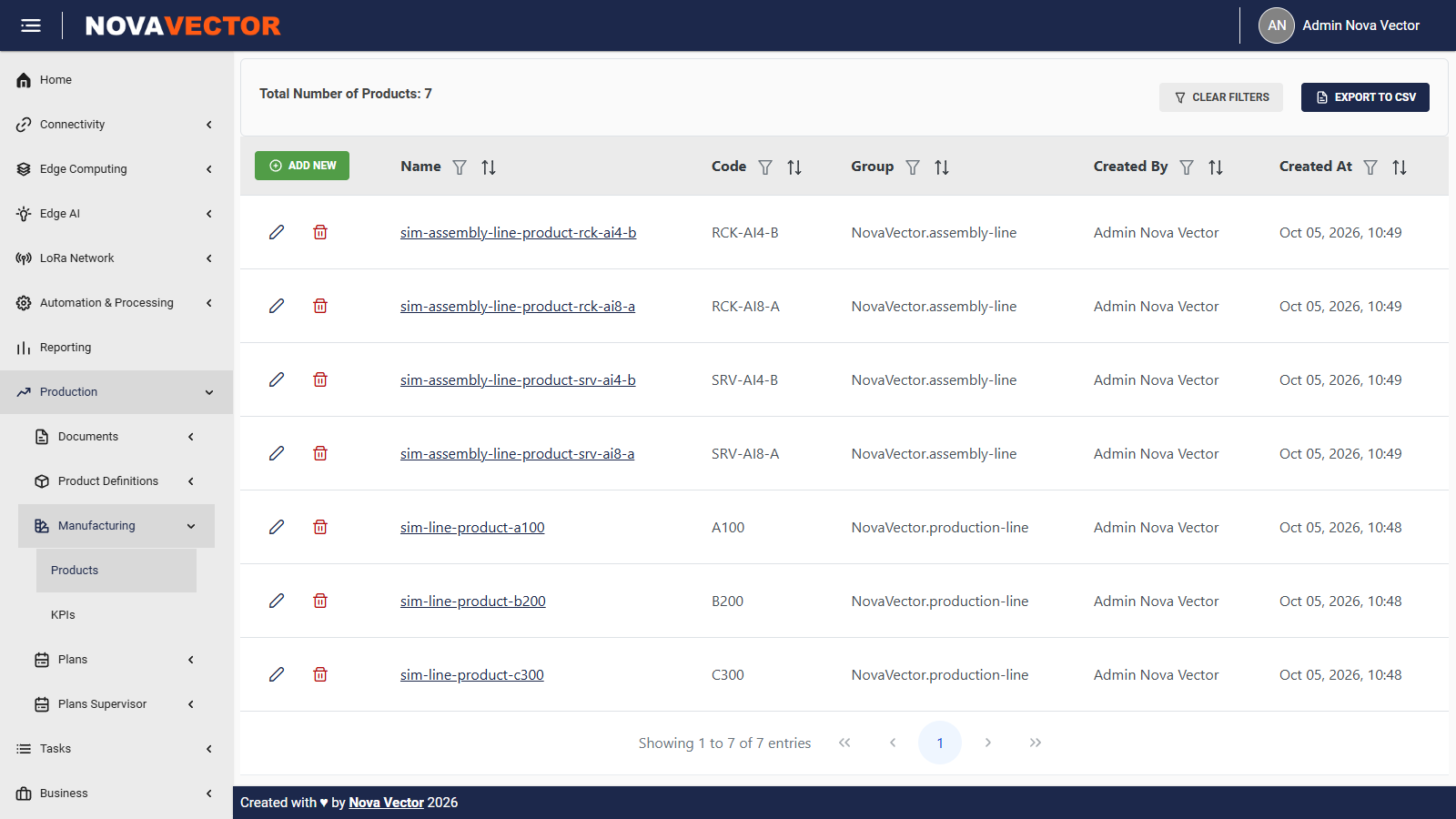
Each product is registered with its product code, the code the line's data and the ERP use, plus its packaging and weight. A KPI links a product to a machine with its validated speed in pieces per minute, which the planning board uses to work out how much fits into a shift.
02Work orders and planning
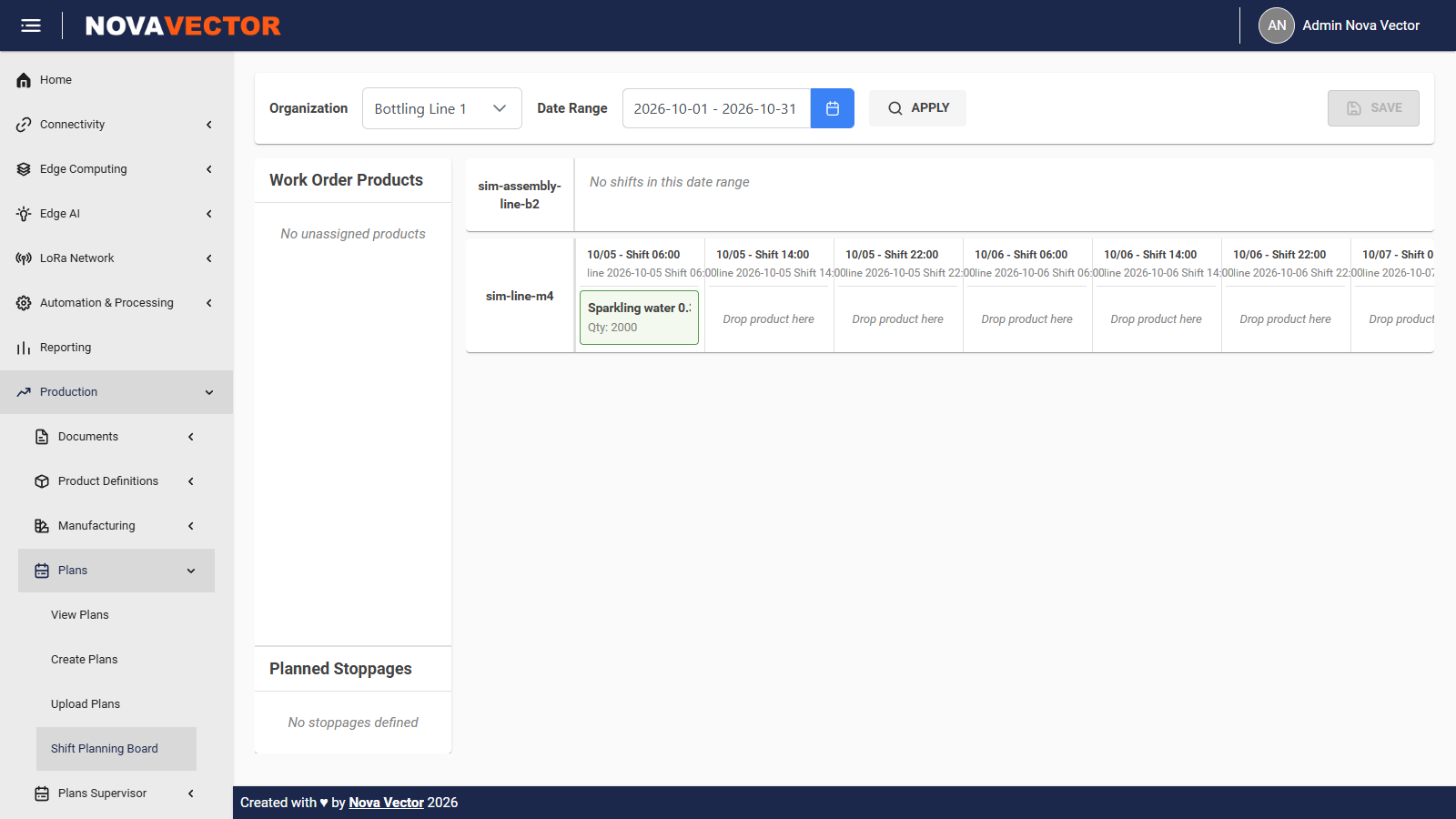
A work order carries the product, target quantity, dates, priority, and related production context. The shift planning board places approved work onto the right line and shift so supervisors have a practical operating plan for the day.
Validated product speeds and planned stoppages such as changeovers, cleaning, or breaks set the capacity the board works with. A supervisor approves the plan before it runs.
03Production execution
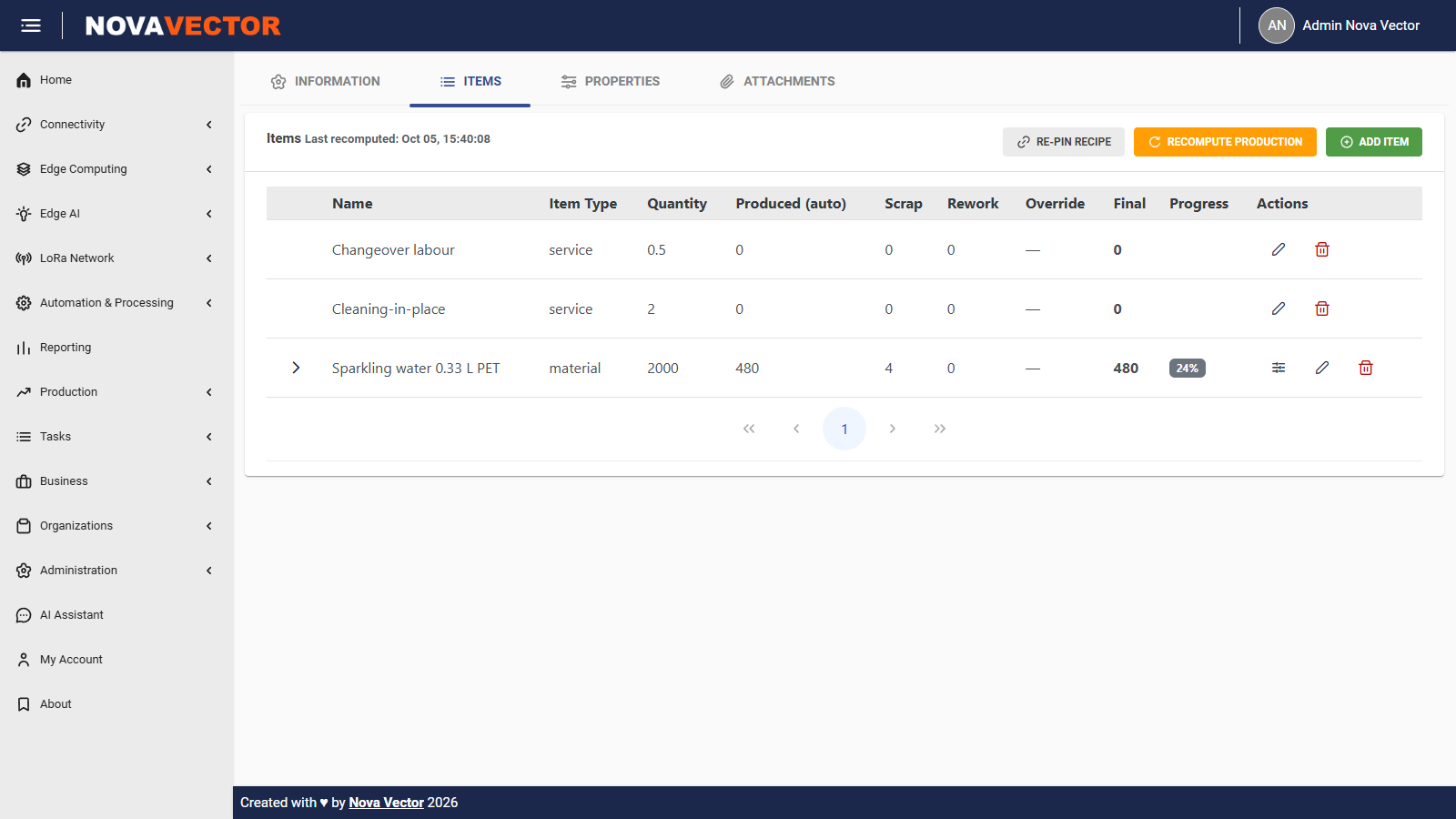
For each approved plan linked to a work order, the platform adds up the machine's readings within the shift as good pieces, scrap, and rework. Figures update as readings arrive, and an edge node or decoder can turn a machine's running counter into such readings.
The work order shows produced, scrap, rework, and final quantities with progress against the order, and moves to its completed status on its own when every item is produced. Production records entered by people can add to or correct the counted figures.
04Real-time reports
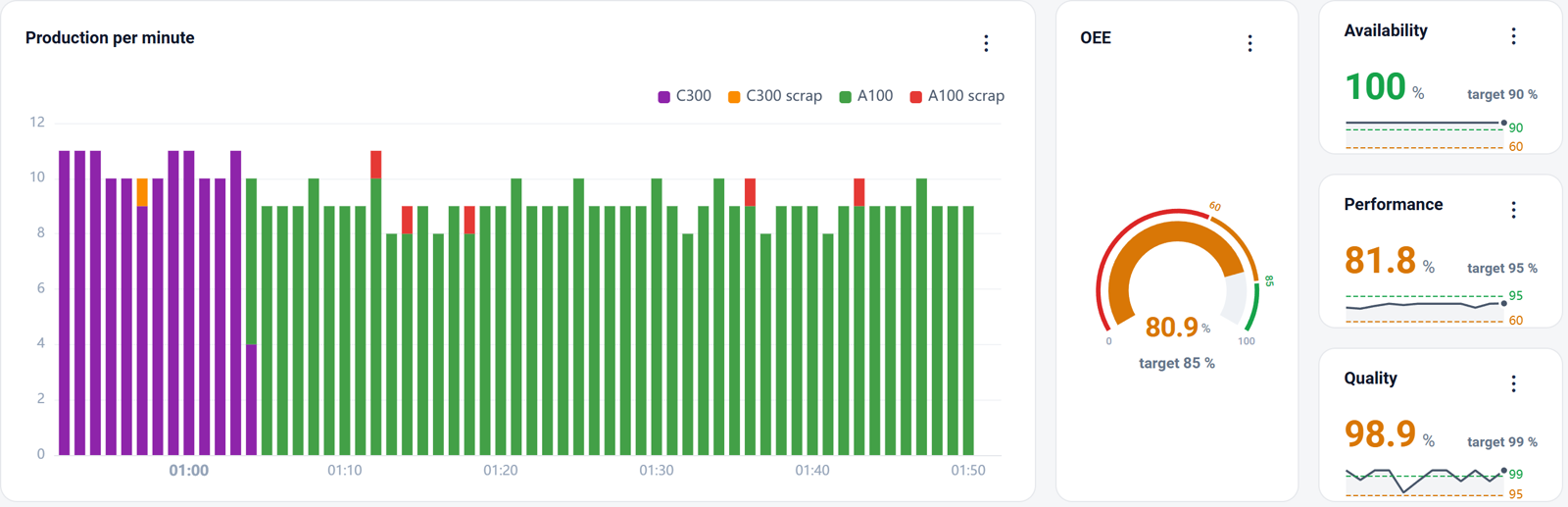
The real-time line report shows production per minute by product, OEE against its target, and availability, performance, and quality. The Stoppage Pareto ranks stop time by reason, and the equipment reliability report shows MTBF and MTTR per station.
These reports come as ready-made templates and can be adapted per line. See OEE and downtime for the full set, including maintenance team reports.
05Recipes and routings
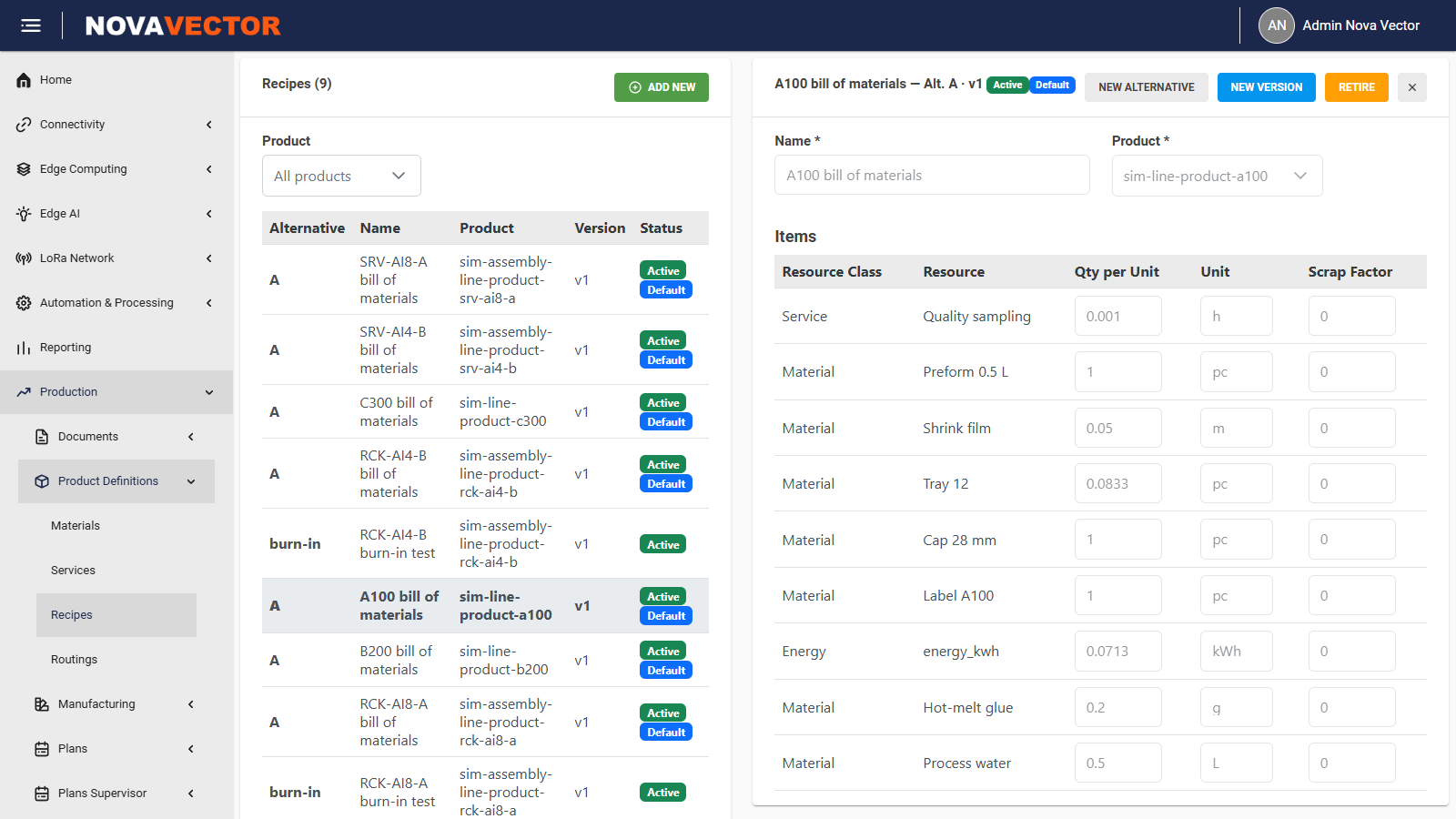
Versioned recipes describe required materials, while routings describe process steps and operations. Alternatives can be represented where the process allows substitution or more than one valid path.
During execution, actual material, labor, machine time, or energy use can be recorded against the work order. Standard-versus-actual comparisons then show quantity and cost variance for the specific production order.
06Consumption
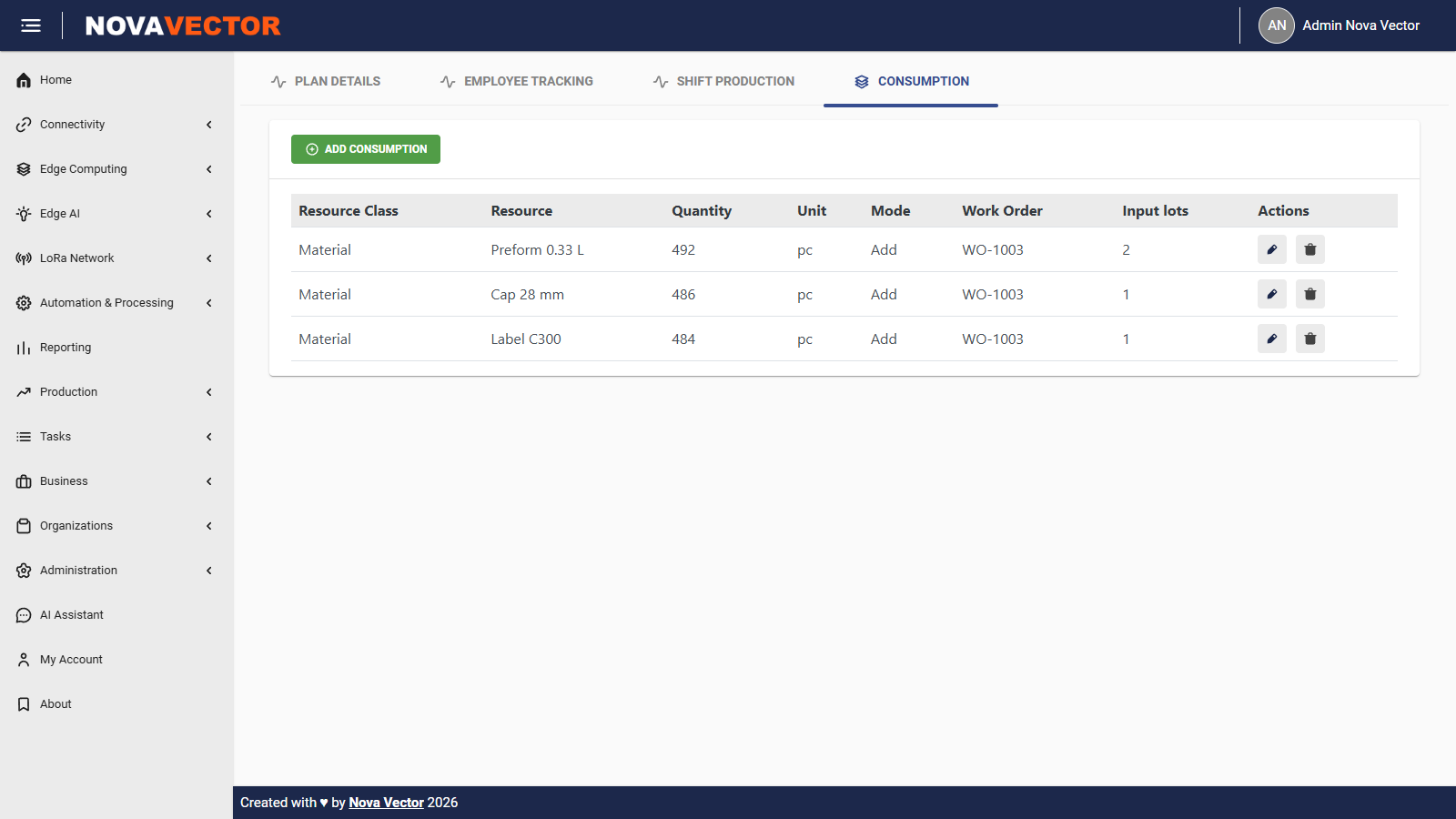
Consumption records connect input lots and actual usage to the plan and work order that consumed them, so the expected recipe quantity can be compared with what was actually recorded on the shop floor.
Connections to scales, ERP, or other shop-floor systems are implemented for the customer's environment rather than assumed to be universal built-in connectors. Work orders, plans, and production figures are available through the platform's API.
07Downtime, people, and attendance
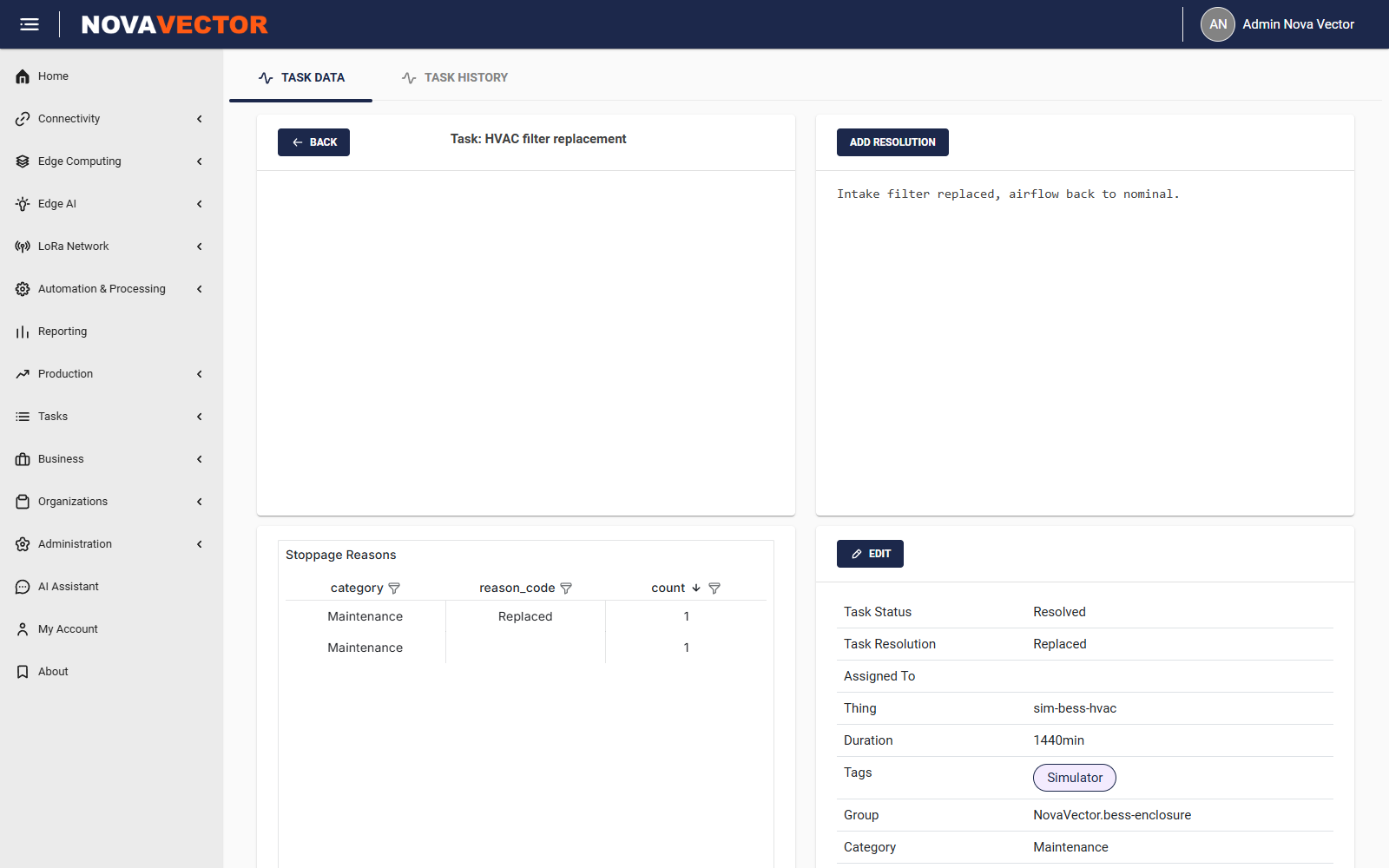
Reports derive stops from machine states, and people record the category and solution of stoppages on the plan. Each stoppage is also kept as a resolved task, so downtime, OEE, MTTR, and MTBF can be analyzed with the maintenance work behind them.
Each plan lists the people on the shift and the shift leader. Where badge readers are part of the project, RFID badges at the line record check-in and check-out against the plan, and a badge scan at the machine marks when a technician arrives; the flow can be customized to match the customer's maintenance process.
08Assembly lines
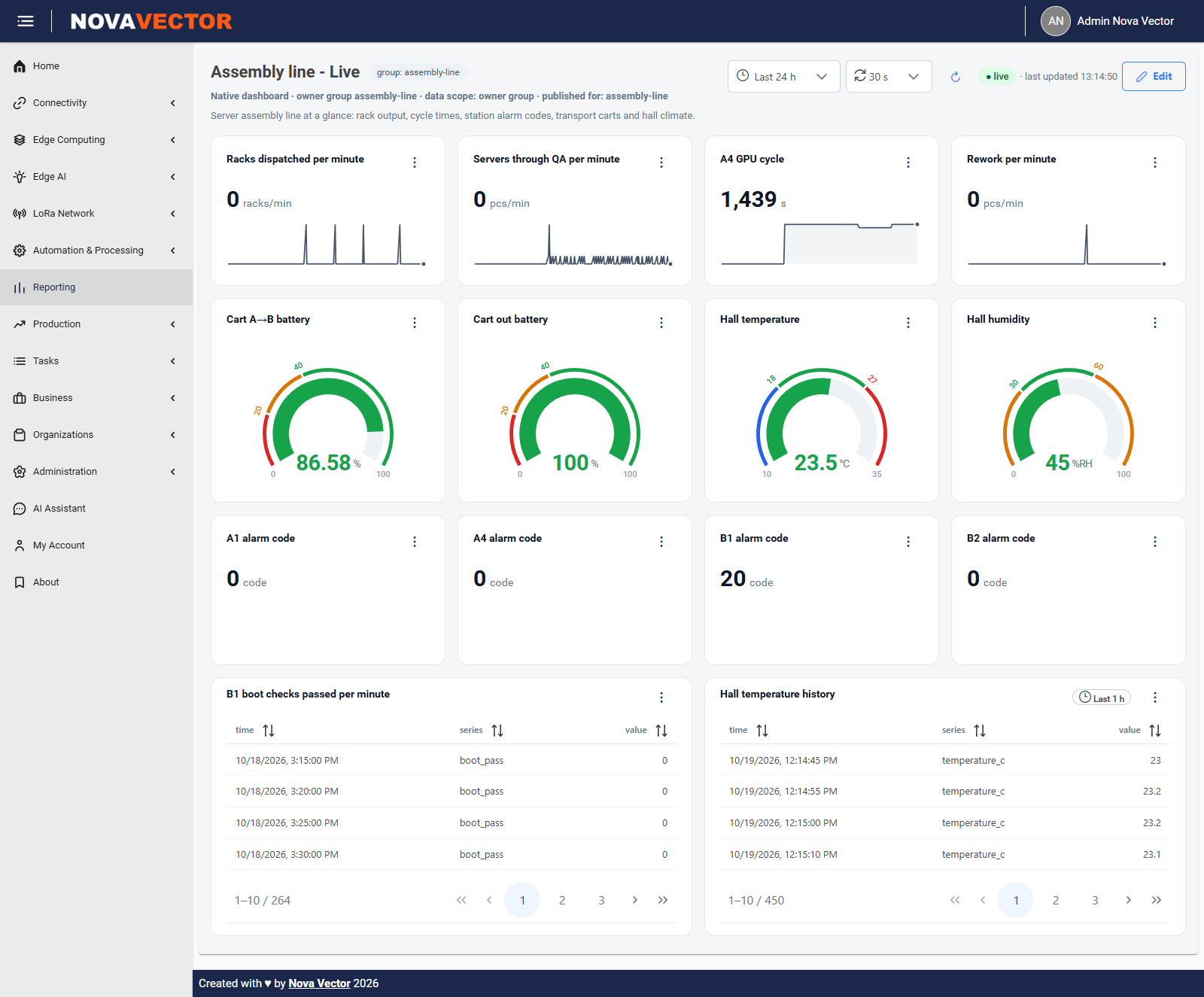
The same building blocks apply to assembly lines with serialized products. A live line report can show units through each station, cycle times, rework, cart and station signals, and environmental conditions such as hall temperature and humidity.
Edge AI can add a model next to the line, for example one that flags conditions associated with electrostatic-discharge risk. Every model version is approved before it is deployed to the edge nodes, and its results arrive as ordinary data for reports, alerts, and tasks.
09Labels and shop-floor systems
Zebra label templates in ZPL fill in fields from the work order and the item, such as product, quantity, produced quantity, and order number. Printers are registered by network address, and the number of copies can be fixed, follow the item quantity, or come from the work order. Label printing is switched on for each project.
Continue evaluating
Discuss your architecture